- 1
Download the app
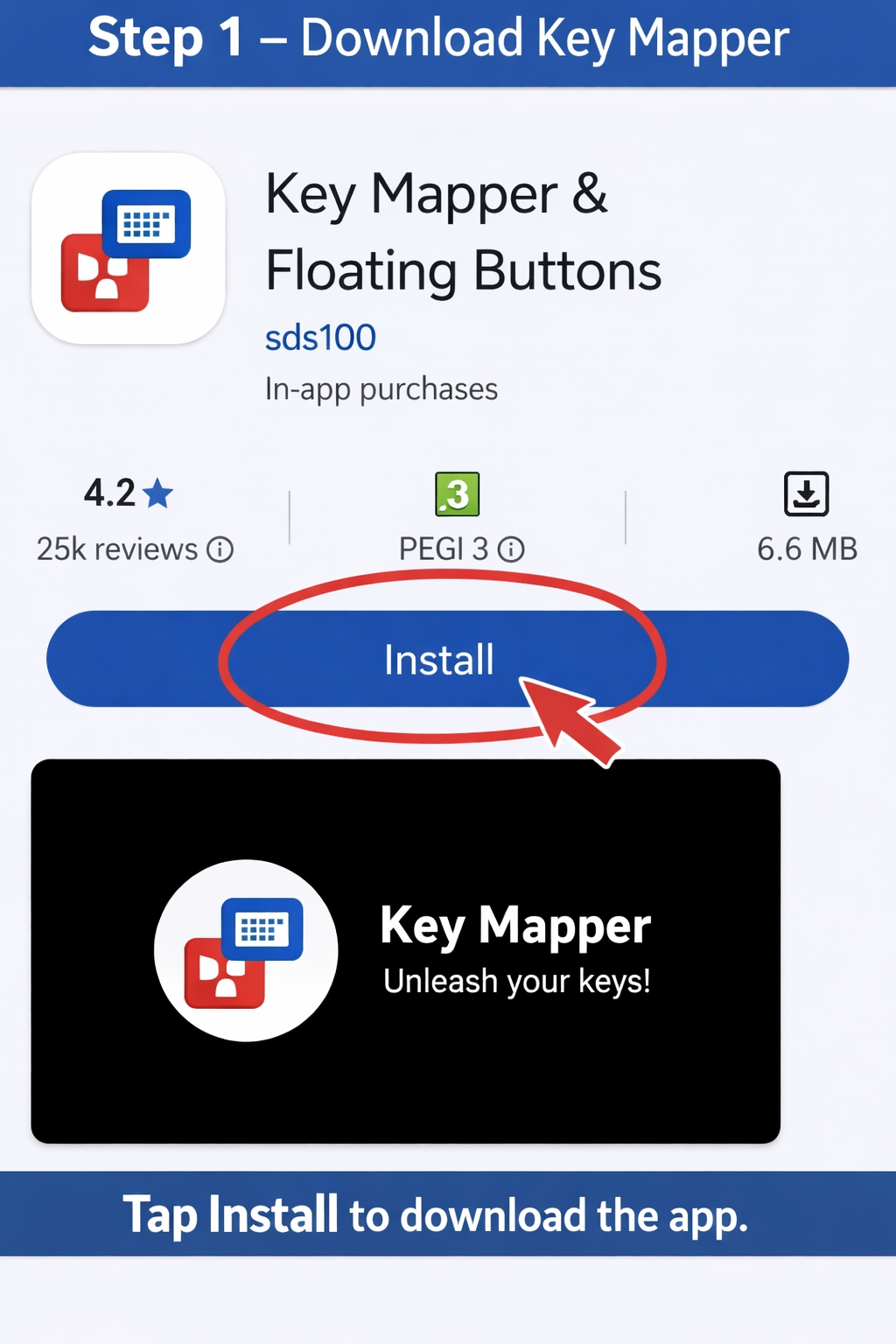
Tap Install on Google Play to download Key Mapper.Get Key Mapper on Google Play
- 2
Grant permissions
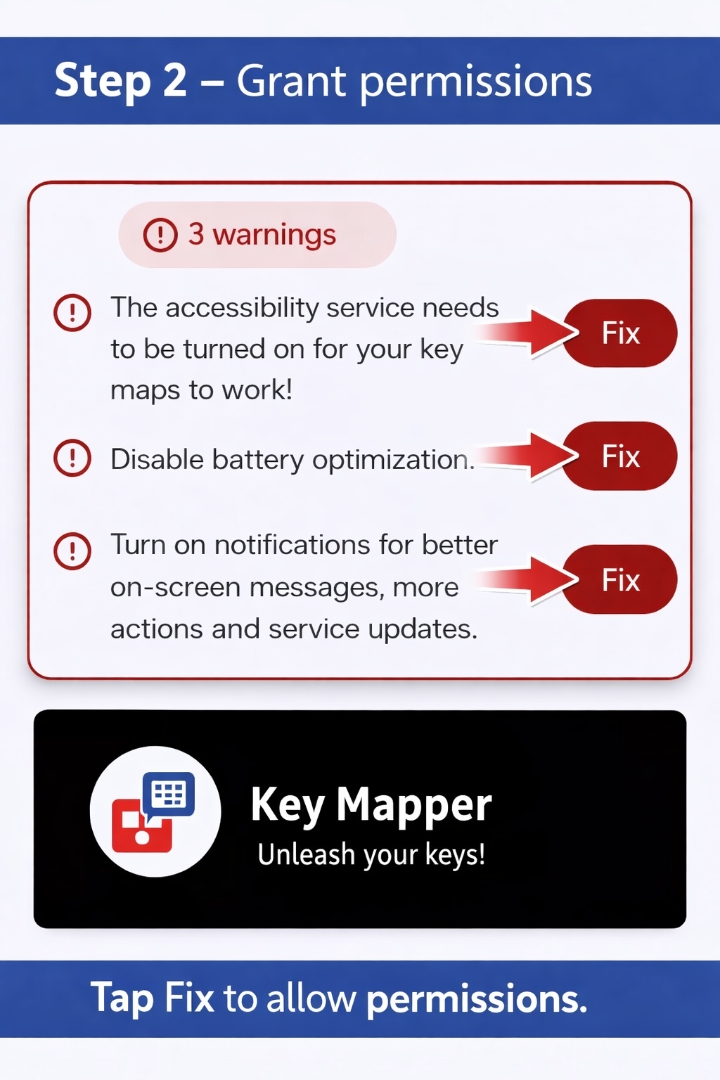
Tap each red Fix button to enable Accessibility, disable battery optimization, and allow notifications.
- 3
Create a new key map
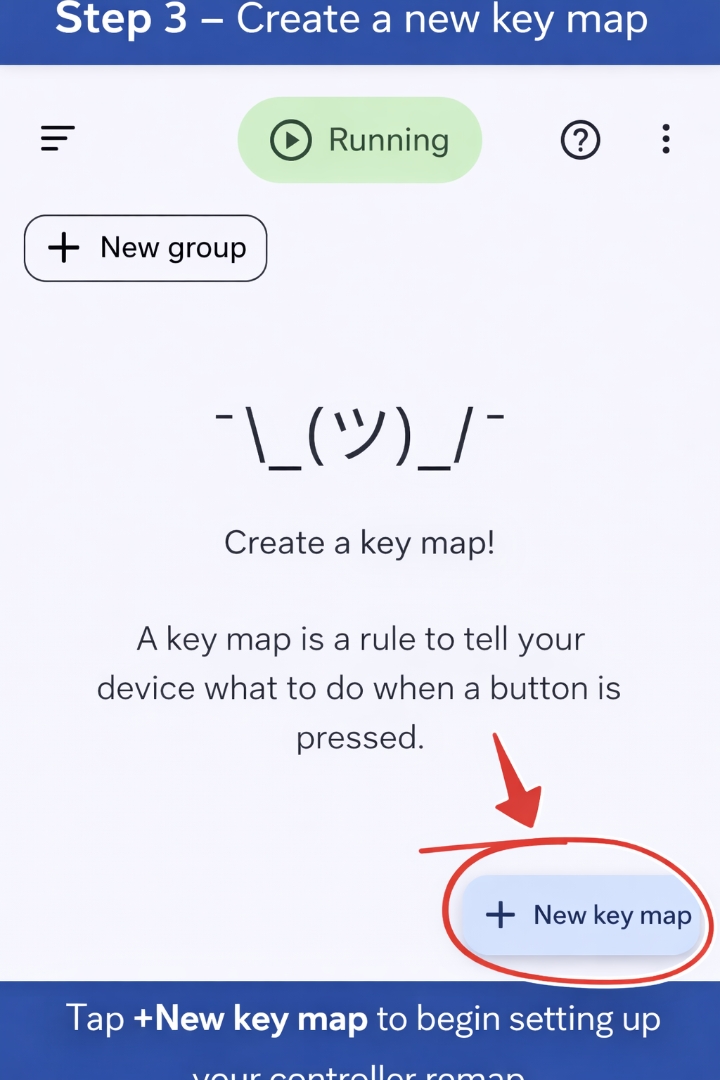
Tap + New key map to start setting up your controller remap.
- 4
Record the trigger
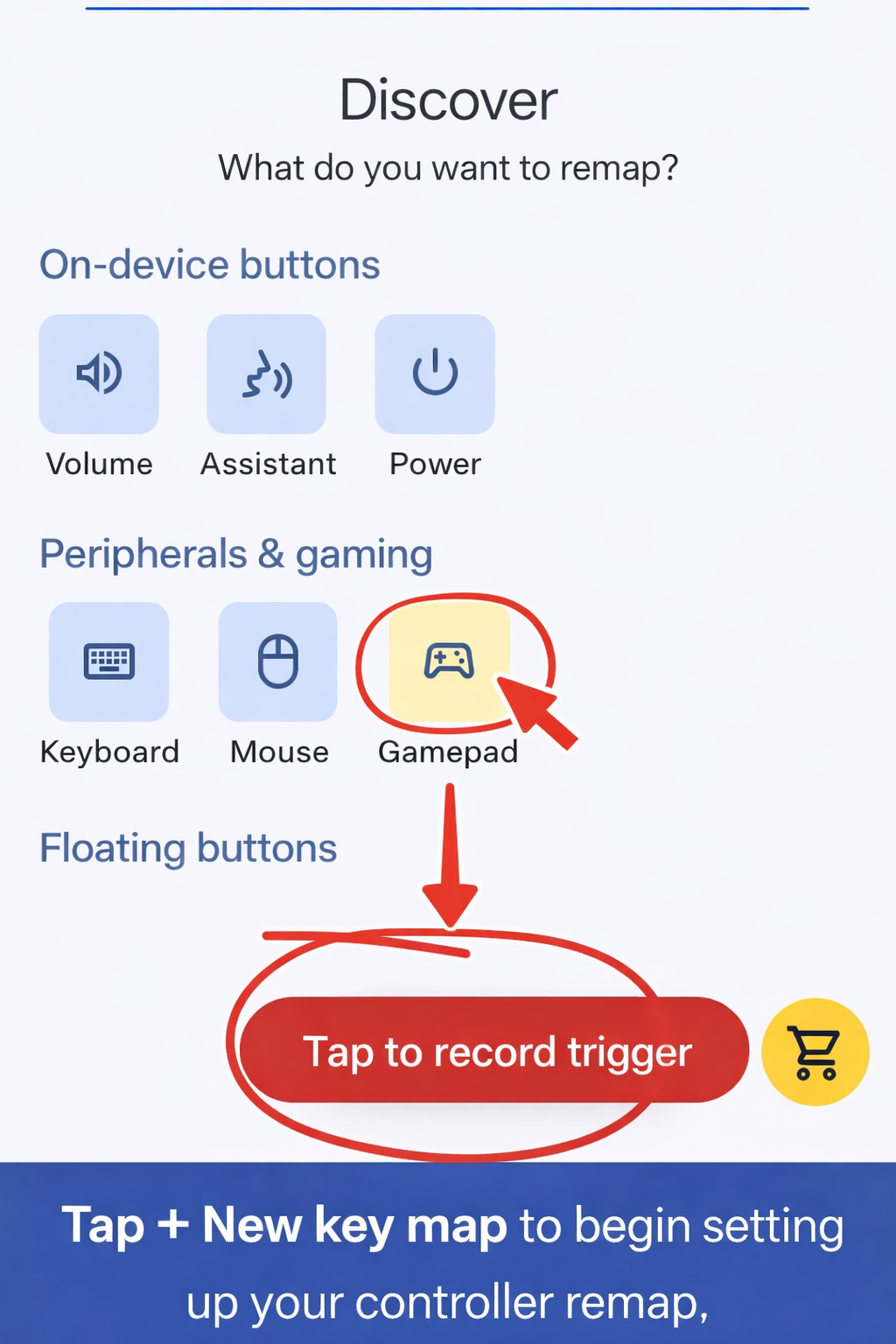
Tap Tap to record trigger, then press the button you want to remap.
- 5
Assign an action
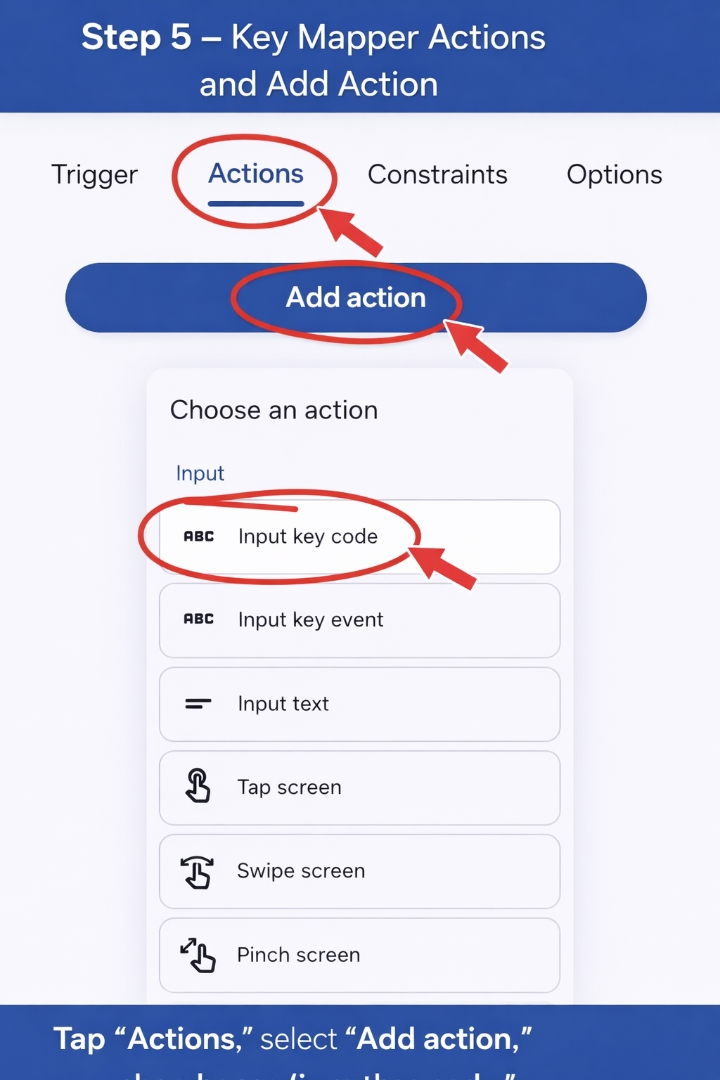
Go to Actions, tap Add action, and choose Input key code.
- 6
Keyboard setup
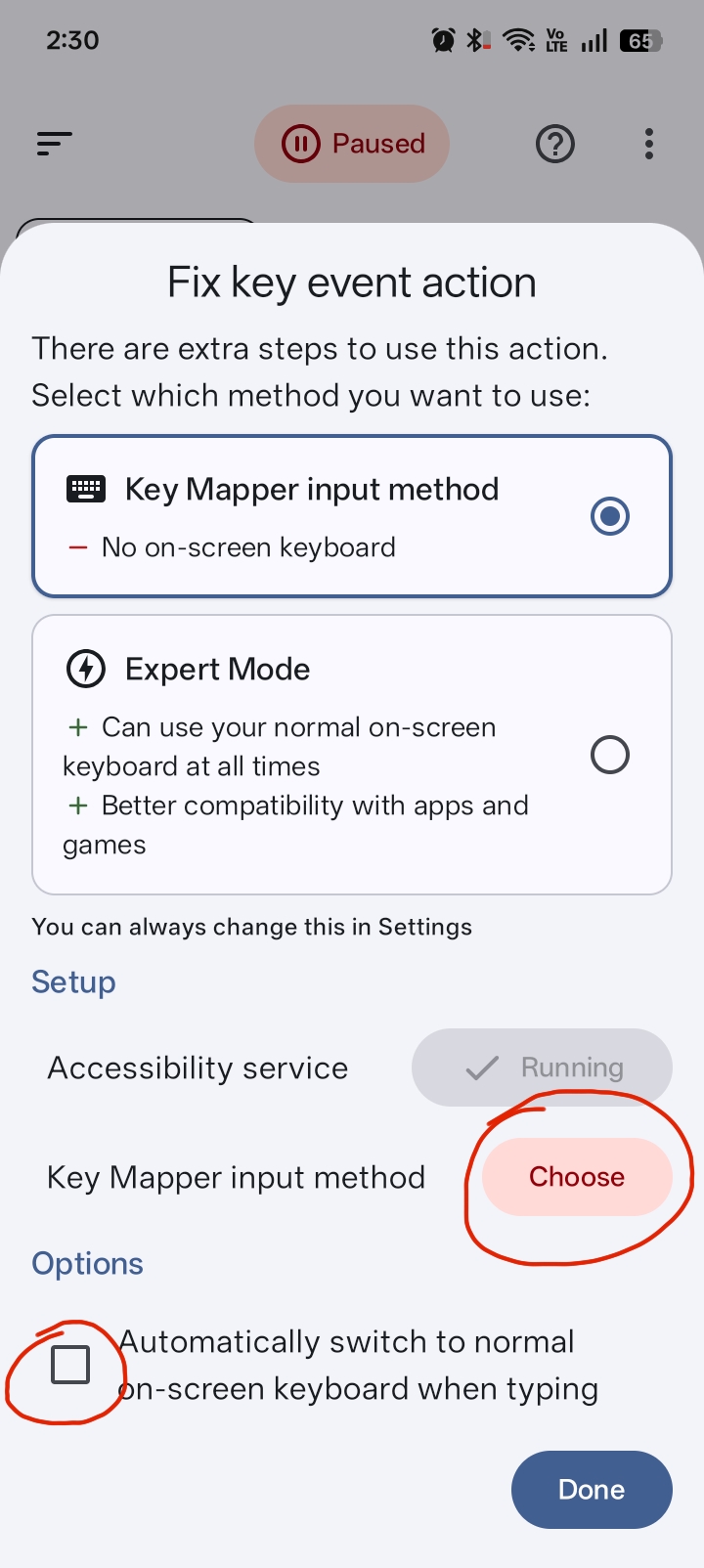
Select Key Mapper input method and confirm both services show Running.
- 7
Save and finish
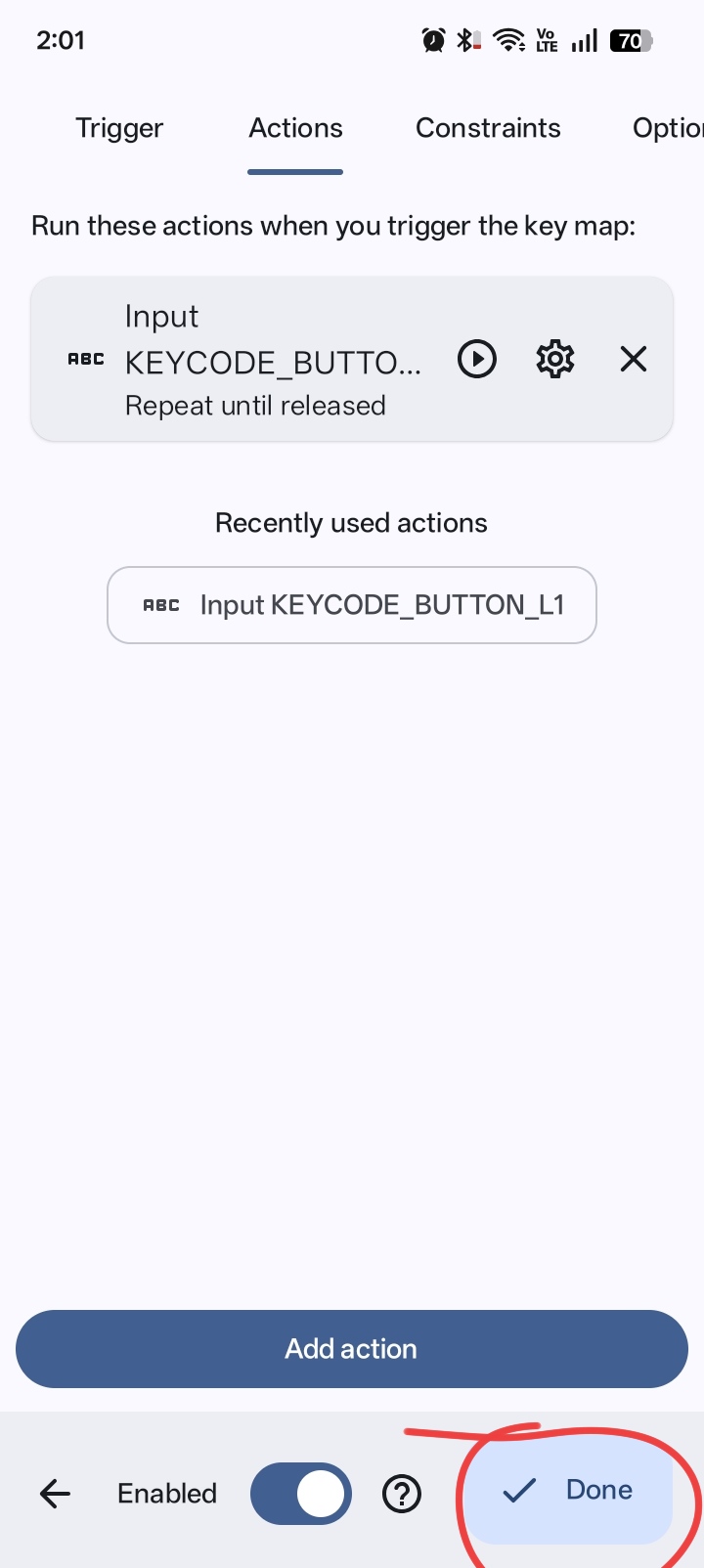
Tap Done and make sure the Enabled toggle is on.
- 8
Advanced sensitivity
Adjust Repeat every, Delay until repeat, and Hold down duration for smoother control.
Controller Buttons, Key Codes, and Recommended Settings
Use this section as a quick reference for every controller button: where it sits on the pad, its Key Mapper key code, and the settings we recommend for the smoothest RLSS experience.
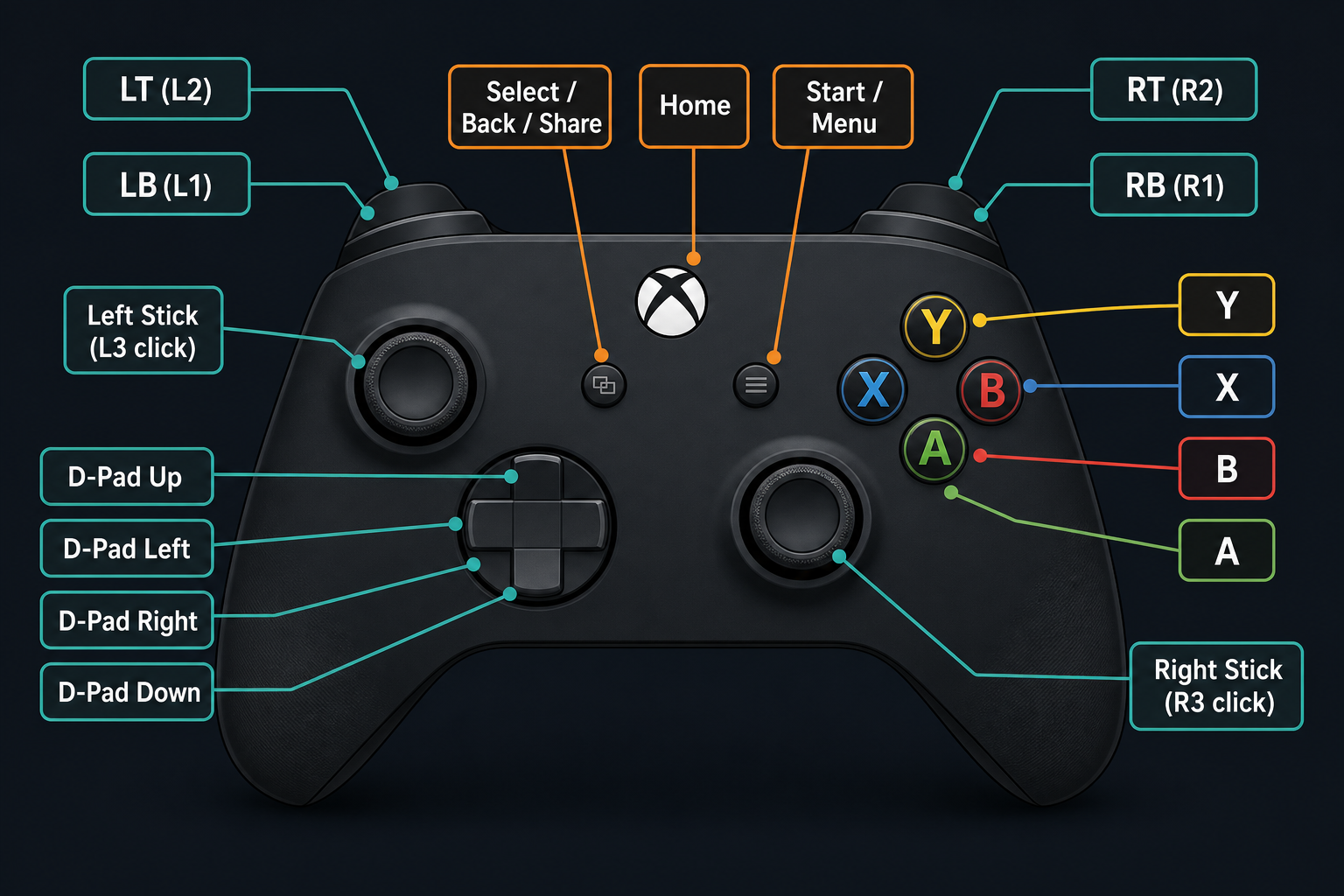
| Controller Button | Where It Is on the Controller | Key Mapper Key Code | Recommended Key Mapper Settings |
|---|---|---|---|
| D-Pad Up | Directional pad — top | 19 | Repeat: OFF · Hold Down: ON · Trigger released |
| D-Pad Down | Directional pad — bottom | 20 | Repeat: OFF · Hold Down: ON · Trigger released |
| D-Pad Left | Directional pad — left | 21 | Repeat: OFF · Hold Down: ON · Trigger released |
| D-Pad Right | Directional pad — right | 22 | Repeat: OFF · Hold Down: ON · Trigger released |
| D-Pad Center | Center of D-Pad (if supported) | 23 | Repeat: OFF · Hold Down: ON · Trigger released |
| A (Cross on PS) | Bottom face button | 96 | Repeat: OFF · Hold Down: ON · Trigger released |
| B (Circle on PS) | Right face button | 97 | Repeat: OFF · Hold Down: ON · Trigger released |
| X (Square on PS) | Left face button | 99 | Repeat: OFF · Hold Down: ON · Trigger released |
| Y (Triangle on PS) | Top face button | 100 | Repeat: OFF · Hold Down: ON · Trigger released |
| L1 (LB / L1) | Upper-left shoulder button | 102 | Repeat: OFF · Hold Down: ON · Trigger released |
| R1 (RB / R1) | Upper-right shoulder button | 103 | Repeat: OFF · Hold Down: ON · Trigger released |
| L2 (LT / L2) | Lower-left trigger | 104 | Repeat: OFF · Hold Down: ON · Trigger released |
| R2 (RT / R2) | Lower-right trigger | 105 | Repeat: OFF · Hold Down: ON · Trigger released |
| L3 — Left Stick Click | Press down the left analog stick | 106 | Repeat: OFF · Hold Down: ON · Trigger released |
| R3 — Right Stick Click | Press down the right analog stick | 107 | Repeat: OFF · Hold Down: ON · Trigger released |
| Start / Menu / Options | Right of center | 108 | Repeat: OFF · Hold Down: ON · Trigger released |
| Select / Back / Share | Left of center | 109 | Repeat: OFF · Hold Down: ON · Trigger released |
| Home / Mode (if supported) | Center logo button | 110 | Repeat: OFF · Hold Down: ON · Trigger released |
PlayStation button equivalents
| PlayStation | Xbox / Generic |
|---|---|
| Cross | A |
| Circle | B |
| Square | X |
| Triangle | Y |
| L1 | LB |
| R1 | RB |
| L2 | LT |
| R2 | RT |
| Options | Start / Menu |
| Share | Select / Back |
Crucial step — do this for every bind
After you finish setting a keybind, open its action options and apply these three settings exactly:
- Repeat: Unchecked
- Hold Down: Checked
- Hold down until the trigger is released
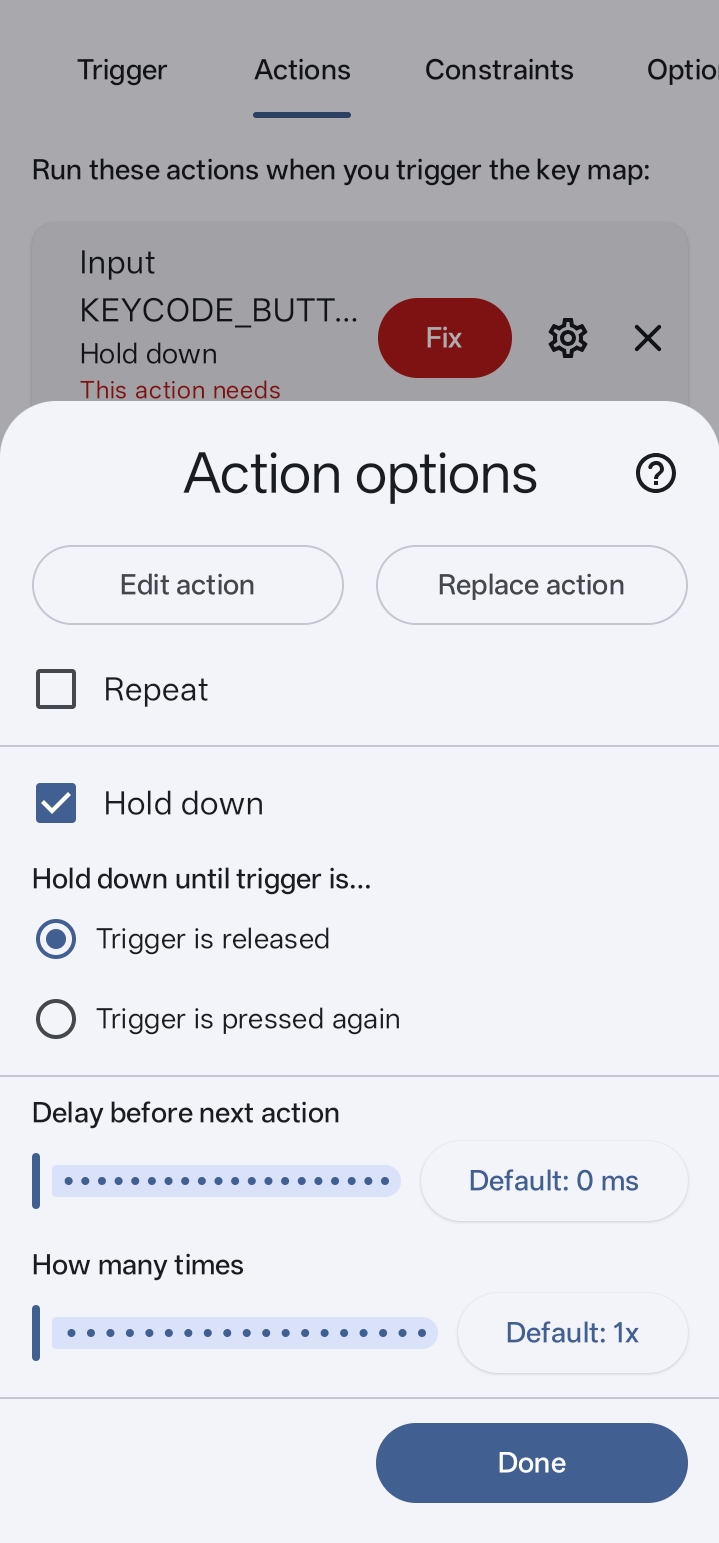
This is the single most important step. Without it, your binds can feel delayed, repeat unexpectedly, or not register properly during RLSS matches.
Quick step-by-step for any button
- 1Open Key Mapper.
- 2Press Add Key Map.
- 3Use Record Trigger.
- 4Press the controller button you want to configure.
- 5Confirm the button name / key code shown by the app.
- 6Choose the correct in-game action or keyboard key.
- 7Open the action settings.
- 8Make sure Repeat is unchecked.
- 9Make sure Hold Down is checked.
- 10Save the mapping and test it in RLSS.
Special Thanks to RT Cràzy & RT Server

RT Cràzy — S10 Grand Champion
A huge thank you to RT Cràzy and the RT Server community for providing the app and the solution that make playing Rocket League Sideswipe with a controller on Android possible. Join the Discord server for support, updates, and to meet the community behind this guide.
Join the RT Server DiscordFrequently Asked Questions
Can you play Rocket League Sideswipe with a controller on Android?
Yes. Rocket League Sideswipe (RLSS) does not officially support controllers on Android, but you can use a free app called Key Mapper to bind any Bluetooth or USB gamepad to on-screen touch controls. This guide walks you through how to do it.
How do I change controller buttons on Android?
You change controller buttons on Android by installing Key Mapper, granting Accessibility permission, and recording each button as a trigger. You then assign the on-screen action you want that button to perform — perfect for remapping a controller for Rocket League Sideswipe.
What is RLSS?
RLSS is short for Rocket League Sideswipe — Psyonix's free mobile version of Rocket League for Android and iOS. This site focuses on how to use a controller with RLSS on Android.
Does this Rocket League Sideswipe controller setup get you banned?
Key Mapper only translates your controller input into touch input — the game still sees normal taps and swipes. It is not a cheat or macro tool, so following this Rocket League Sideswipe Android controller guide is safe for regular play.